 BC LS Retail Tips
Planning and applying an LS Central hotfix: a rollout procedure that respects the tills
A hotfix is not an upgrade project, but applying one casually is how a Tuesday morning becomes a story. LS Retail publishes hotfix builds roughly weekly for each serviced line, and the official lists are written for partners, not for the store that has to trade on the result. This procedure turns a published hotfix into a controlled rollout: triage the list, test the exact scenarios the tickets describe, sequence head office, stores, then POS, and verify against what the fixes were supposed to change. It is deliberately hotfix-specific, general change-testing guidance lives elsewhere on this site.
Before you touch anything: triage the list
Open your line's hotfix page on the LS Central Help and read only the builds above your current one. For each ticket, sort it into one of four buckets:
- Symptom we have. The ticket describes something your stores or finance team have actually seen, a statement that will not close, receipts on the wrong paper, a scheduler run dying. These set your priority.
- Control or integrity. Permission gates, numbering, posting logic, fixes whose absence is a risk even if nobody has tripped over it yet.
- Partner-only. New events and changed signatures. Not your problem unless you run extensions, then they are your first problem, and your partner reviews them before anything ships.
- Not ours. Fixes for sections and workflows you do not run. Note them and move on.
While triaging, read every “Action required by partners” line attached to the tickets you care about. Many say “None” with a reassurance, the 27.0.61 printer entry, for instance, states that printers already configured with a non-A4, non-custom paper kind will print correctly again once the fix ships, no setup changes needed. “None” is information: it tells you the fix is self-contained. The absence of the line, or anything other than “None,” is where your questions go. The deep dive on Action-required items in this category covers the reading in full.
Decide the target build now: builds on a line are sequential, so the target is normally the newest build, you collect every fix between here and there in one move, which is exactly why the triage happens first. The September 22, 2026 batch on the 25.3 line is the cautionary example: four builds in one day carrying till fixes and an event-signature change (86165). A store that applied “the latest hotfix” without reading would have taken a contract change for its extensions along with its receipt fixes, unreviewed.
The procedure, step by step
- Record the starting position. Exact version strings for head office, a representative store, and a POS, plus a note of any local customisations touching the areas the tickets name. If the rollout goes wrong, this is the state you return to and the baseline every later claim is measured against.
- Take the backup/snapshot your platform gives you before anything is applied. A hotfix you cannot walk back from is a bet, not a procedure.
- Apply to the sandbox first. Same line, same target build, same extensions as production, a sandbox that differs from production in the area under test proves nothing about production.
- Test the tickets' own scenarios, not generic clicking. Each fix you triaged as “symptom we have” or “control or integrity” names its own test: if the build carries the suspend receipt-number pair, suspend a transaction, retrieve it, re-suspend it, and confirm the next receipt number only ever rises. If it carries the refund permission fix, try opening a return with a login that lacks the permission, including after a logoff. If it carries a statement fix, post a statement and confirm the open statement is gone afterwards.
- Run one ordinary day in the sandbox. A plain sales day, a return, a suspend and retrieve, an end-of-day, the fixes must not disturb the 95% of trading that was never broken.
- Sign off the triage list, not the build. Every bucket-one and bucket-two ticket gets a named pass. Anything untested stays untested, on the record, not discovered later in a store.
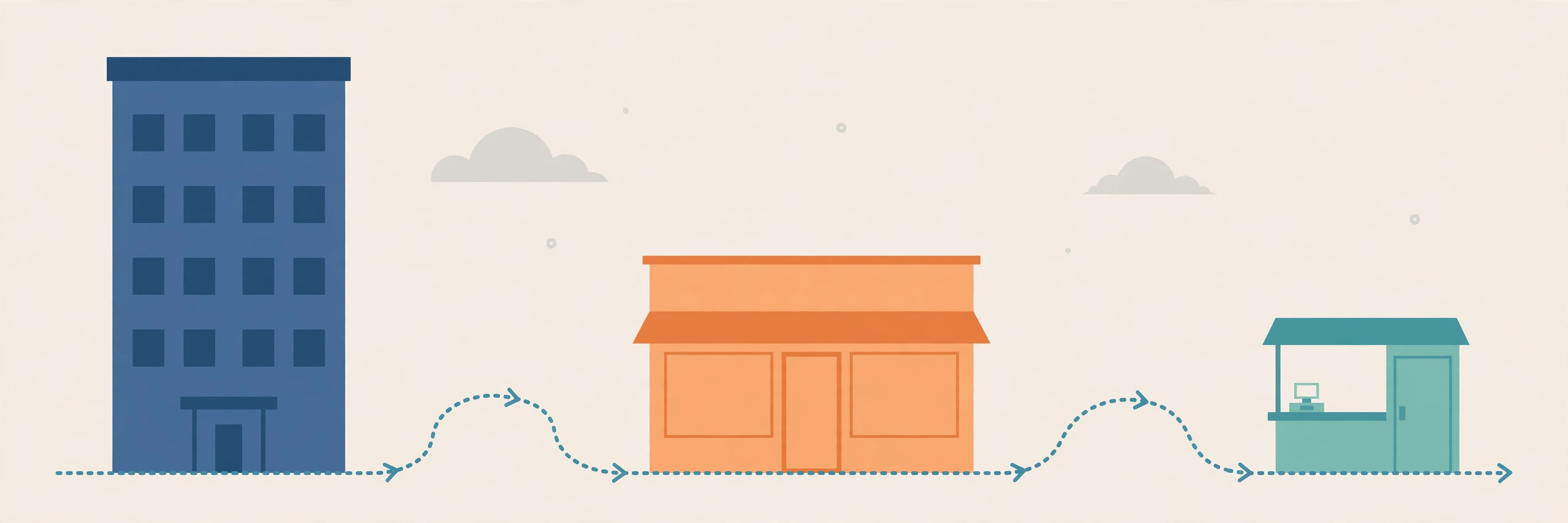
Sequencing: head office, stores, POS
Apply in the direction data flows. Head office first: it is the environment your stores replicate with and the place a bad build is cheapest to catch. Then stores, one pilot store before the estate, trading a full day on the new build while the others watch. Then the POS layer within each store. In the SaaS online model the shape differs but the logic holds: per LS Retail's guidance, the POS runs a web client on the customer tenant and is updated automatically when the tenant is upgraded, while the Hardware Station and the AppShell are kept up to date on each host through Update Services, so the sequencing work moves to keeping those host components in sync and, in LS Retail's words, testing the hardware as part of the update testing. Printers deserve their sentence here: several recent hotfixes are printer-facing (paper kind, print events), so print a receipt, a label, and a report on the pilot POS before the estate follows.
Verify: what success looks like
- The triaged symptoms are gone, demonstrated with the same scenario that reproduced them in the sandbox, not merely absent from a quiet day.
- Statements post and close. Run a statement end to end in the pilot store; the statement-left-open class of fix (79822 on the 27.0 line) exists because “posted” and “closed” are different events, and only the second one is success.
- Scheduler and replication complete a full cycle with failures, if any, recorded per location rather than aborting the run.
- Version strings match the plan everywhere, head office, pilot store, POS, and the recorded starting position is updated to the new baseline.
When a hotfix goes wrong: rollback thinking
Decide the walk-away point before the window opens: which symptom, seen in the pilot store, sends the estate back to the recorded starting build while the partner investigates. Hotfixes are cumulative in effect, you cannot surgically remove one ticket from a build, so the unit of rollback is the build, and the unit of courage is the pilot store. Keep the window honest: a hotfix applied at a calm hour with a tested restore path is routine; the same build applied chain-wide at peak is a different risk wearing the same version number.
FAQ
How often should we do this?
LS Retail's cadence is weekly hotfixes and cumulative updates as needed, inside
twice-yearly feature waves. Most estates batch: run this procedure when the triage
finds a symptom or a control fix that applies, and always for security fixes, rather
than chasing every build.
Can we skip builds and take only the newest?
That is the normal path: builds on a line are sequential, so moving to the newest
collects everything in between. The triage is what makes skipping safe, you read
the fixes you are vaulting over, especially the partner-only signature changes.
Who actually applies a hotfix?
Partners download the hotfixes from the LS Retail Portal (login required) and apply
them; this procedure is how the retailer side plans, tests, and verifies the work so
the estate is never just hoping.