Rolling LS Central out to multiple stores: process lessons that save the second launch
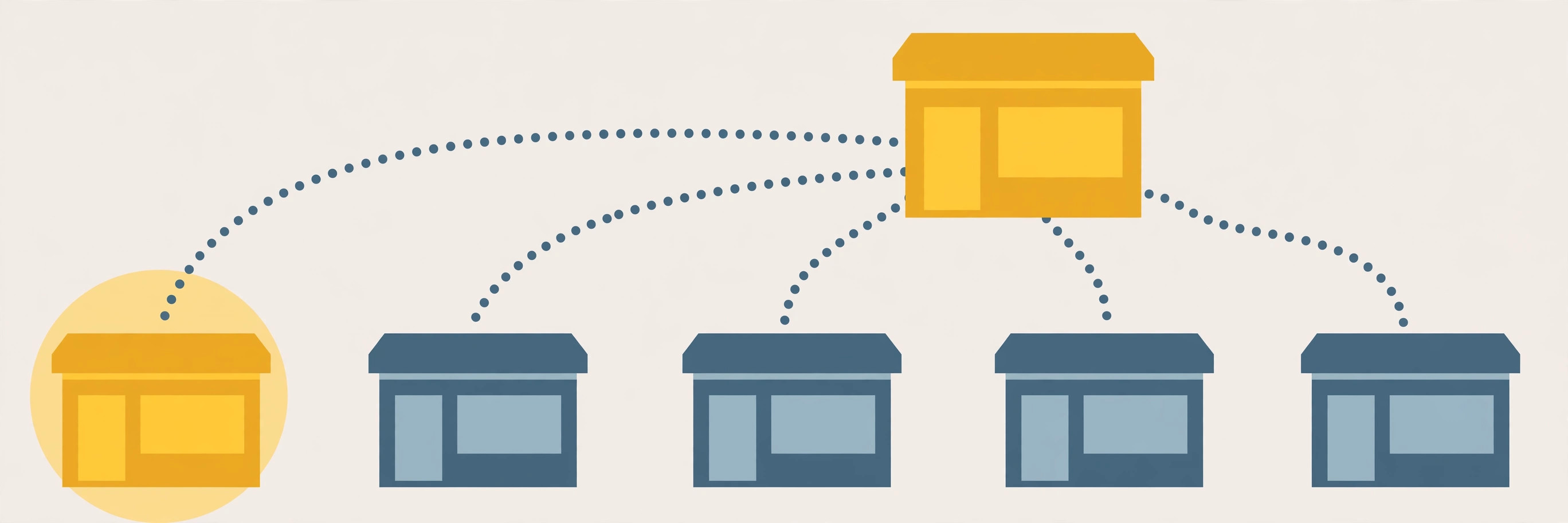
The first LS Central store is a project. The second store is a test of whether the first one produced anything reusable. Documented partner rollouts follow the same broad shape — head office plus one store first, then a controlled wave across the rest of the estate — and the retailers who move fast on store two are the ones who treated the pilot as template production, not just a go-live. This guide is the process layer the vendor material leaves out: how to pick the pilot, what to freeze, in what order to seed data, and when to cut over.
Step 1: Pick a pilot store you can learn from
A pilot has one job: expose every problem while the blast radius is one store. Score candidate stores against these criteria before committing:
- Representative, not easiest. The pilot should carry the assortment, tender mix, and transaction types the other stores use. A quiet store with a narrow range pilots nothing the busy stores will hit in week one.
- Not the flagship. The highest-volume store is the worst classroom: every pilot defect becomes a peak-trading incident. Documented phased rollouts put head office plus a single store first and roll the rest in a controlled wave — pick a store that matters, but not the one the business cannot afford to have a bad week in.
- A manager who reports problems precisely. Pilot feedback quality decides template quality. You need a store lead who will log "returns with a gift receipt fail at step three," not "the till is broken."
- Reachable support. During the pilot, fixes are frequent. A store your implementation team can actually get to — physically or with reliable remote access — shortens every feedback loop.
- Stable staffing. If half the pilot team turns over mid-project, you cannot tell training gaps from configuration gaps.
Decision rule: if a store fails two or more of these, it is not a pilot — it is a wave-two store, whatever the opening calendar says.
Step 2: Build the template from the pilot, then freeze it
Partner methodology is explicit on the sequence: the pilot store is fully configured and tested with key users, and only once the pilot has gone live and stabilized are templates prepared for the remaining branches, so each later location inherits what the pilot learned. The template is a defined set of configuration, not "whatever the pilot ended up with." In LS Central terms, documented template content includes POS profiles, product ranges, price groups, checkout layouts, and permissions transferred from the existing location to the new one.
Run the freeze like this:
- Log every pilot configuration change with a reason. A change made to fix a pilot-store quirk is not automatically template content.
- Classify each change: template (applies everywhere), local (this store only), or defect fix (goes back into the base build).
- Set a freeze date. After it, template changes need a named approver and a note in the rollout log. Configuration that keeps drifting between stores is how "one system" becomes five dialects.
- Test the template by building store two from it — in a test environment first. Anything the template cannot produce without manual patching is a template gap, and it is far cheaper to find here than at cutover.
Step 3: Seed data in dependency order
New-store data moves over LS Central replication, which runs as Scheduler jobs: a job passes its request to the replication module, which validates it, builds a data packet, creates a distribution request for each destination location, and only then replicates. That mechanics detail drives the seeding order — later data depends on earlier data existing at the destination:
- Structure first: store and terminal records, distribution locations, and staff. Confirm every destination location has a valid Web Server connection on its Distribution Location Card before scheduling anything — replication to a location without one goes nowhere.
- Master data next: items, barcodes, prices, and offers. Documented implementations migrate product master data, customer records, inventory levels, and prices as a distinct phase, after master data has been cleaned — seeding dirty item data into a new store just gives the dirt a second home.
- Then opening stock: inventory levels land after the items they belong to exist at the destination.
- Watch the queue, not the clock. Replication requests stay in the Web Replication Request Queue until fully processed, and with point-to-point delivery, if the oldest request for a location is not processed, no newer request for that location is processed either. One stuck request silently blocks everything behind it — check the queue and the Request Log before declaring a store "seeded."
- Verify at the destination: spot-check item counts, a sample of prices, and staff records in the new store itself. "Job ran" is not "data arrived."
Step 4: Cut over on a clock, not a hope
Cutover timing is a trading decision before it is a technical one:
- Cut over outside peak trading for that store, with enough quiet hours after the switch to run test transactions, verify totals, and still have a fallback window before the next busy period.
- Freeze master-data changes at head office for a defined window before cutover, so the seeded data and the live data cannot diverge mid-flight.
- Run the old and new close in parallel for the first day where the store's setup allows it: the first statement on the new system should be reconciled against known figures before anyone trusts it. (The routine in our end-of-day guide is the check to run.)
- Keep a hypercare window. Documented rollouts follow the controlled rollout with a hypercare period before handover to regular support — schedule named people for the first days at each new store instead of routing a brand-new store into the normal ticket queue.
- Define the rollback trigger in advance: the specific condition (for example, POS unable to complete a sale, or replication queue blocked past a set time) at which the store reverts and the attempt is rescheduled. Deciding this calmly beforehand beats negotiating it at midnight.
Step 5: Sequence training before, not after, go-live
LS Retail's own implementation guidance recommends at least one team member has attended LS Central Base Training before the project starts, and partner phases build key-user testing into the pilot configuration stage rather than bolting training on at the end. Applied per store, the sequence that works is:
- Train the store lead first, during template testing — they become the local first line of support and the person who signs off that the store is ready.
- Train cashiers on the template, not on a demo database that behaves differently: same menus, same tenders, same permission limits they will hit live.
- Train back-office tasks separately — receiving, counts, and the end-of-day routine — for the staff who will actually do them.
- Repeat the pilot's training defects list at every store. Every "nobody told us" from the pilot becomes a checklist line for store two; user acceptance testing running in parallel with the build, as documented rollouts do, is what generates that list early enough to use.
Standardize vs. localize: decide the split once
The argument that burns rollout time is never technical — it is "our store does it differently." Settle it with one table, decided at template time:
| Standardize in the template | Localize per store |
|---|---|
| POS profiles and checkout layouts | Terminal count and hardware placement |
| Price groups and promotion setup | Local assortment within the shared product range |
| Staff permission groups and limits | Which named staff hold which group |
| Item structure, barcodes, units of measure | Opening stock quantities |
| End-of-day and statement routine | Store hours and local tender float amounts |
The left column is what makes the estate one system — consistent prices, promotions, and data quality from day one is the documented payoff of central templates. The right column is where stores legitimately differ. Anything a store wants moved from left to right is a template change request, with the same approver as the freeze — not a quiet local edit.
What success looks like
- Store two was built from the template with a short, written list of template gaps — not a fresh configuration project.
- The replication queue for the new store is empty, the Request Log shows completed deliveries, and spot checks at the destination match head-office figures.
- The first statement at the new store reconciles, and offline behaviour has been tested before it is needed (see POS offline mode).
- Every pilot lesson is either in the template, in the training checklist, or in a written won't-fix list. None of them live only in someone's memory.