 BC LS Retail Tips
Integrating LS Central with an Online Store: The Order and Inventory Data Flows, Mapped
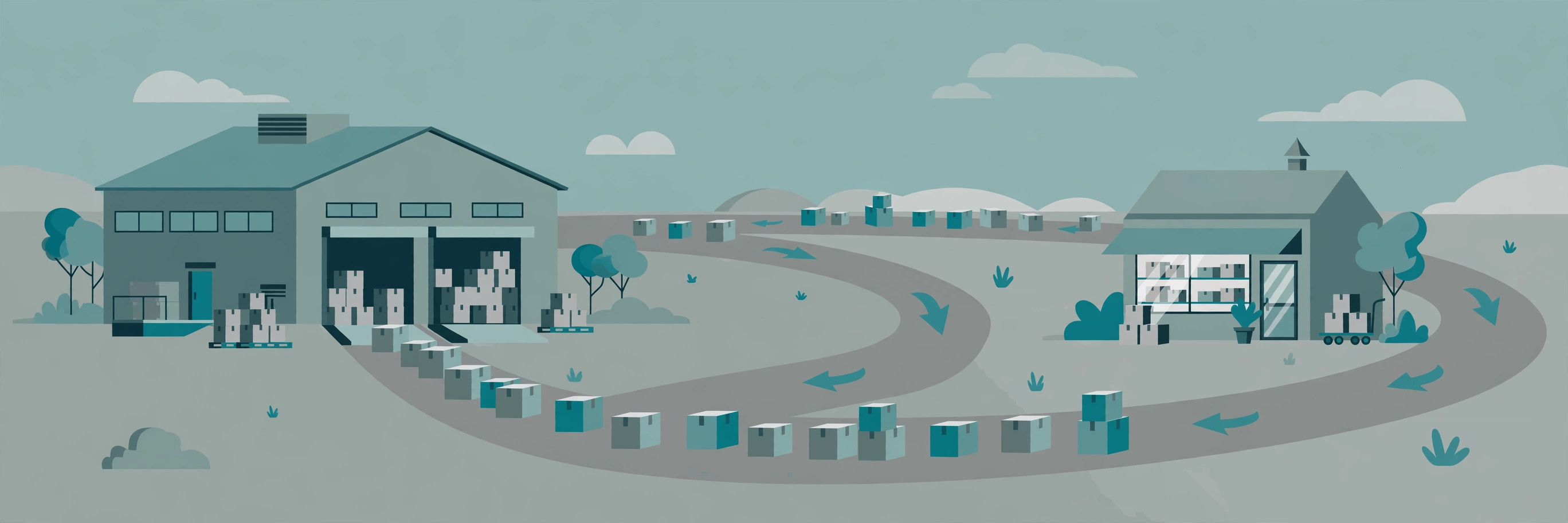
Is an LS Central web-store connection one integration, or four?
Four. Products go out. Inventory goes out. Orders come in. Status, invoices and shipments go back. Each flow has its own direction, its own trigger, and its own failure mode, and treating them as one sync is how a store ends up with the right products, the wrong stock, and orders nobody can find.
One honest limit on the map below. LS Retail’s detailed public flow documentation is marketplace-specific, the Shopee integration, which covers products, categories, inventory levels, pricing, discounts, order management and shipping details. The mechanics documented there are the reference model used here for a generic web store. Partner pages claim wider platform support without publishing flow detail, so no platform-specific claim is made for any named storefront product beyond the documented Adobe Commerce case covered later.
Four flows, not one ‘integration’: the map in brief
| Flow | Direction | Documented mechanism |
|---|---|---|
| Products and catalogue | LS Central out only, products can only be sent, not received | Item Store Distribution; Scheduler with preactions for delta changes |
| Inventory levels | LS Central out only | Scheduler keeps levels up to date |
| Orders | In, from the storefront | LS Central pulls orders and creates Customer Orders; delivery orders become Sales Orders |
| Cancellation, invoices, shipments | Both ways | Synchronised in both directions |
Direction is the spec. A flow documented as one-way cannot be configured into a two-way flow by wishing: if the web store changes a product or a stock number, the documented model gives that change no road back into LS Central. Design the operating rules around that fact. LS Central is where product and stock edits happen, instead of discovering it during a stocktake.
Products out: Item Store Distribution and preaction deltas
LS Central uses Item Store Distribution to update products on the channel. The product payload is documented as including descriptions, variants, attributes, prices and images.
Keeping that payload current is a Scheduler job, and the Scheduler uses preactions for delta modification, changes are tracked and sent as deltas rather than re-sending the whole catalogue on every run. That distinction is the difference between a catalogue sync that scales and one that republishes every item every cycle.
The one-way rule bears repeating at the section level, because catalogue work is where teams violate it: products can only be sent to the channel, not received from it. A description fixed on the storefront is a description that will be overwritten by the next distribution run, or that diverges silently until it is.
Inventory out: why the supported direction is one way
Inventory levels update only from LS Central to the marketplace. Only that direction is supported. The Scheduler is the component that keeps inventory levels up to date.
Short section, strict rule.
One-way inventory makes LS Central the owner of the stock number. The web store displays a copy; it does not hold a competing original. That ownership is what makes a stalled flow diagnosable: if the storefront number is wrong, the question is whether LS Central’s number is wrong, or whether the Scheduler run that should have carried the correct number has not run, has errored, or carried a delta that missed the item. Three checks, in that order, cover the documented mechanics.
The supported Adobe Commerce case shows the same ownership inside a web-store integration rather than a marketplace one: Housing Units replaced bespoke, unsupported data transfer processes with the out-of-the-box LS Central integration to Adobe Commerce, with real-time data transfer, and inventory, pricing, sales and customer information stay in sync between the online and physical stores. Note what the case study does not publish: failure handling. Sync staying in sync is the claim; what happens on a missed run is left to the operator’s own checks, which is why the final section exists.
Orders in: from web checkout to Customer Order
The inbound flow reverses the direction. LS Central pulls orders from the channel and creates Customer Orders from them. Delivery orders become Sales Orders.
Three documented details decide whether the imported order balances:
- The External ID is the thread. The imported record is a Customer Order, and its External ID field stores the original marketplace order number. Every reconciliation, duplicate check and customer query starts from that pairing: channel order number outside, Customer Order inside.
- Shipping is a line, not a note. If the order includes a shipping fee, LS Central inserts a shipping line item to balance the total. An import that drops the fee does not produce a slightly wrong order; it produces an order whose total cannot reconcile with what the customer paid.
- Prices arrive tax inclusive. Item prices replicated from the channel are tax inclusive. A mapping that treats them as tax exclusive double-counts tax on every line, quietly and at scale.
Import itself runs two ways: automatically, by a scheduler job, or manually from the administration page. The manual route is the diagnostic route, run the import by hand when orders are suspected missing, and the result separates a channel problem (nothing to pull) from an import problem (orders waiting, or erroring on the way in).
Status, shipment and invoice back to the storefront
The return leg is the documented two-way flow: order cancellation, invoices and shipments synchronise both ways.
Both ways cuts in both directions. A cancellation made on the channel must reach LS Central before the order is picked and shipped; a shipment created in LS Central must reach the channel before the customer asks where the parcel is. Neither leg is a report that can wait for the end of the day without cost, one produces a shipped order the customer cancelled, the other produces a support ticket.
Returns are the gap in the documented map. The retrieved LS Retail help for the marketplace integration does not document a returns flow, no direction, no record type, no balancing rule. Do not design a returns process on an assumed flow. Treat returns as unmapped until the specific channel’s documentation or the project’s own testing establishes which records move, and handle web returns through a manually reconciled process in the meantime.
When a flow stalls: ownership and reconciliation checks
A stall is a flow that stopped moving, not a store that looks odd. Check in flow order, and record which check failed, that record is the handover if the stall outlives the shift.
- Products: confirm the item is in Item Store Distribution for the channel, then confirm the Scheduler job that sends preaction deltas has run since the last product edit. A product edited after the last run is not stalled; it is waiting.
- Inventory: compare the LS Central stock number with the storefront number for one known item. If LS Central is right and the storefront is wrong, the Scheduler inventory run is the suspect. If both are wrong the same way, the problem is upstream of the integration entirely.
- Orders: pick one channel order the store cannot find. Search Customer Orders by External ID. Found, the order imported and the problem is visibility or status; not found, run the import manually from the administration page and watch whether it arrives or errors.
- Shipping totals: on any imported order that does not balance, check for the inserted shipping line before adjusting prices. A missing shipping line and a wrong price look identical in a total and are fixed in opposite places.
- Status back: take one shipped order and one cancelled order and verify each state on the other system. The two-way leg fails silently in a way the one-way legs do not, because neither side is the sole owner of the status.
What success looks like: one test product, one stock change, one order, one shipment and one cancellation each traced end to end, with the External ID pairing recorded for the order. An integration that has passed that trace has working flows. An integration that has only been switched on has a claim.
, Dex Carter, Tech Writer
Keep readingNext: How LS Central and Business Central actually talk to each other →