 BC LS Retail Tips
Deadlocks during posting: when two processes want the same ledger
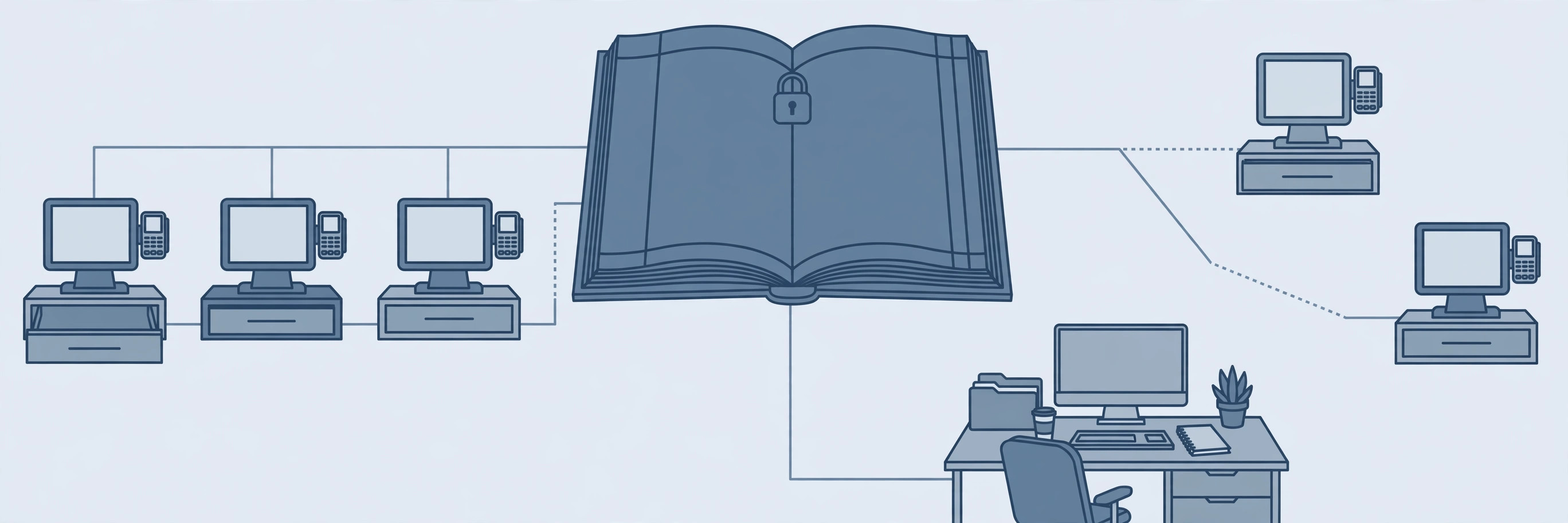
It is close of day. Tills are closing, statements are ready to post, and scheduled work is starting in the background. Then posting stops with a lock error and several people are looking at the same frozen queue. The scene matters because the timing is the clue: this error tends to appear when several posting processes run at once, not when one cashier posts one document on a quiet afternoon.
The scene: close of day, every process posts at once
Start by writing down what was running when the error appeared. Which tills were closing? Was a statement posting? Was any scheduled or background work active at the same minute? A deadlock report that only says “posting failed” loses the most useful evidence, which is the overlap itself.
Simultaneous posting of sales documents or journals can error with a message along the lines of “Another user has locked the G/L Entry table” in Business Central SaaS. That wording points at contention, not at a corrupt document. Treat the first job as identifying the contenders, not re-trying the same post until it happens to get through.
What is actually locked: ledger tables, registers, and number series
The core ledger tables named in posting-lock reports are G/L Entry, G/L Register and Value Entry. Those tables are locked during posting to protect data integrity. When Business Central needs exclusive access to a table or a row, it issues a lock and other sessions wait. A wait that clears quickly is normal concurrency. A wait that fails, repeats, or blocks a queue is the problem to fix.
Number series are the second locked resource, and the easier one to overlook. Getting the next number from the No. Series table locks that table until the process completes, which causes waits when many users post at the same time. Every process drawing from the same series queues behind the same single point, even if the processes are posting different documents.
Meet the contenders: tills, statements, job queues, background posting
In a retail estate the contenders are the processes that converge at close: POS transactions closing, statement posting, and scheduled background work. An LS Central retailer has reported record locks when closing a transaction on the POS in Business Central Cloud, so the till close itself belongs on the contender list alongside head-office posting.
Two design details can make the collision worse. The first is shared number series across POS lanes, identified as a single point of failure in that POS lock report. The second is overly consolidated posting groups, flagged in the same report because consolidation can force many transactions onto fewer records. Neither detail shows up in the error text, which is why the contender list has to be built from timing and setup, not from the message alone.
Fix in order: separate series, shorten lock holds, move posting off the till path
Work the fixes in this order. Each step removes a shared bottleneck before the next one is judged.
- Separate shared number series. Audit which number series the POS lanes share. Separating a shared series across lanes is the immediate fix identified in the POS lock report, because it removes the single point every lane was queuing behind.
- Allow gaps where sequential numbering is not required. The “Allow Gaps in Nos.” option uses a non-blocking number sequence approach instead of locking the No. Series table for each assignment, and it improves number assignment performance. Microsoft guidance makes the same point in general terms: use number series that allow gaps for records that do not need sequential numbering, to avoid locking issues. Apply it only to series where a gap is acceptable; a series that must stay strictly sequential is not a candidate.
- Move posting into the background. Enable background posting via job queues, and schedule long-running reports and posting to run in the background rather than interactively at the till. The till path gets shorter, and the heavy posting no longer competes with closing transactions in the same minute.
- Stagger what remains. Stagger posting times so statements, job queues and background posting do not all start together. Staggering is a mitigation offered for simultaneous posting locks, and it works best after the shared-series fix, not instead of it.
- Audit the close-transaction code path and posting groups with the partner. The POS lock report also flags LS Central close-transaction code holding record locks too long, and overly consolidated posting groups. Both need a code or setup review rather than a schedule change, so log them as a separate work item with the timing evidence collected above.
What success looks like: the same close-of-day sequence runs without the G/L Entry lock error, number assignment no longer queues behind one shared series, and background posting completes in its scheduled window instead of colliding with till closes.
When staggering is enough and when it is a code problem
| What the evidence shows | Decision |
|---|---|
| Locks appear only when several posting processes start at the same time, and clear when they are separated | Stagger posting times and move posting to background job queues first; re-check at the next peak |
| Many lanes draw numbers from one shared series | Separate the series and allow gaps where sequential numbering is not required; scheduling alone leaves the single point in place |
| Locks track the POS close even when little else is running | Treat it as a code-path problem: review how long the close-transaction code holds record locks, with the partner |
| Many transactions are forced onto few records by consolidated posting groups | Review the posting-group consolidation as setup design, not as a timing issue |
The dividing line is repeatability. A lock that only appears under overlap is a scheduling and shared-resource problem. A lock that follows one process, one lane, or one close routine is pointing at that process, and no amount of staggering fixes code that holds locks too long.
Verification: reproduce the collision in a sandbox before the next peak
Do not wait for the next busy close to find out whether the fix worked. Rebuild the collision first:
- List the processes that overlapped in the original failure, with their start times.
- Run the same combination together in a sandbox or test environment, before any fix, and confirm the lock error reproduces.
- Apply one fix at a time, series separation, gap-allowed numbering, background posting, staggering, and re-run the same combination after each change.
- Record which change removed the error, and keep the contender list and timings with the change record.
What success looks like: the original overlapping combination completes without a lock failure, and the result holds when the combination is run again at the volume seen at store close. If the error still reproduces after the scheduling fixes, the remaining suspect is the close-transaction code path, and the sandbox evidence is exactly what a partner needs to review it.
, Dex Carter, Tech Writer
IndexBack to all guides →