 BC LS Retail Tips
Counting by Section: Designing Stocktake Worksheets Staff Can Finish
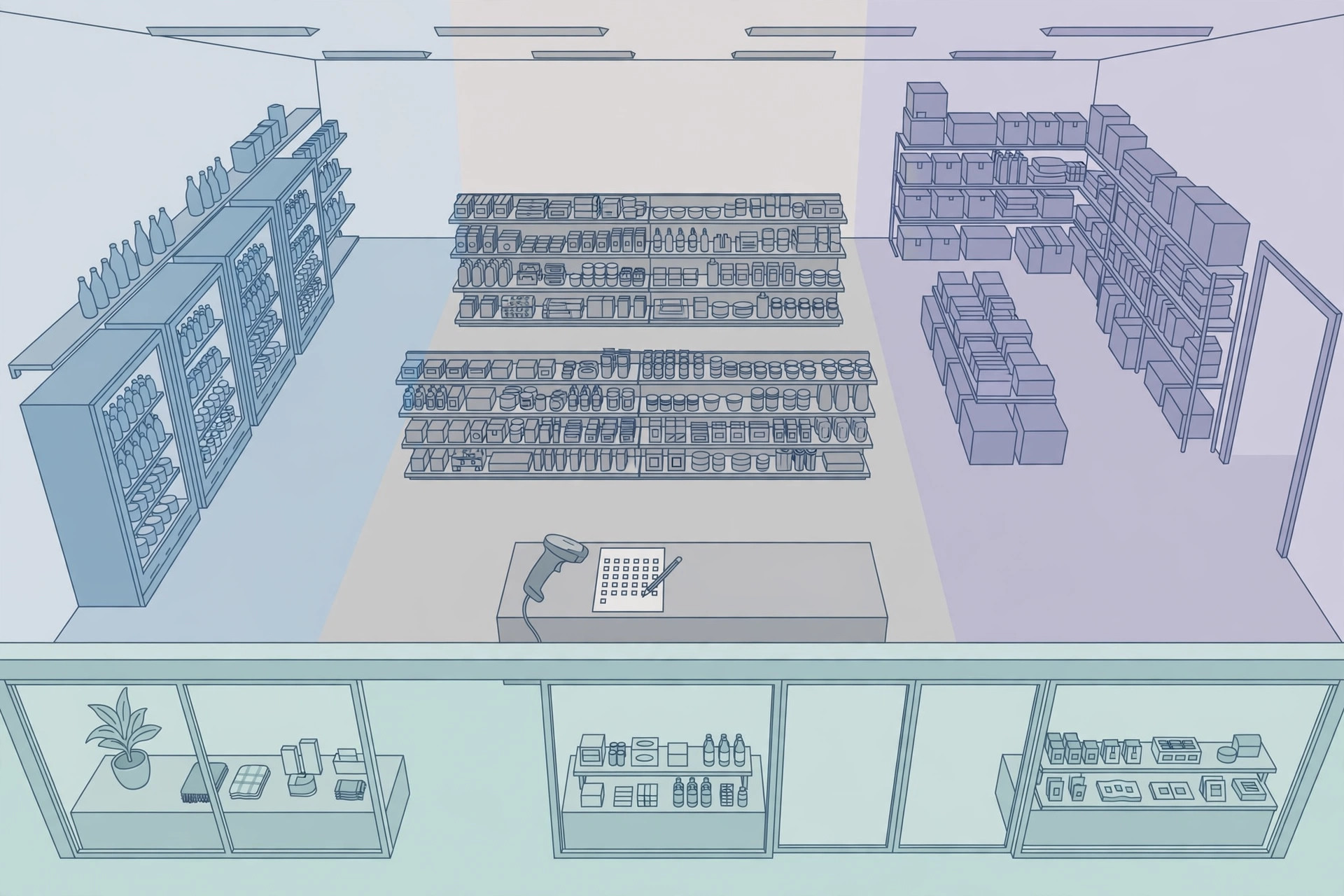
The full-store count starts at 6 p.m. with good intentions and a single worksheet for the whole shop. By 9 p.m. two staff have counted the same drinks chiller, nobody owns the stockroom, the worksheet is a third done, and the count is abandoned to be restarted next month, which means it will be abandoned again. The count did not fail because staff cannot count. It failed because the worksheet was designed as one indivisible job with no sections, no owners, and no finish line short of everything. LS Central's Store Inventory worksheets carry an Area Code precisely so a shop floor does not have to be counted that way. This guide is a checklist for designing the count around areas: cutting the floor, building each section's worksheet, running the count without double-counting, and the manager review that has to happen before posting touches inventory.
Checklist 1: cut the floor into areas staff can own
- Walk the floor and draw the sections. The area concept exists for a concrete reason: the same item is often displayed in several places, the documented example is bottled water, and without sections, two people count the same display or neither does. Break the entire shop floor into areas, name them, and assign them to different staff members to avoid duplication.
- Name areas the way staff talk. An area name should match the words used on the shop floor, front windows, chiller wall, stockroom racking, so an assignment needs no translation and a missed area is obvious from the name list.
- One owner per area. Every area gets exactly one named counter. Shared areas are how duplication happens; a second person joins an area only by taking a named sub-area of it.
- Group by physical walk, not by system category. An area is a place a person can walk in one pass. Categories and product groups decide which lines land on a worksheet (Checklist 2); areas decide who counts what, where.
- Keep the stockroom and the back door in the plan. Storage, delivery cages, and returns shelves hold stock too. If they are not named areas, they are the variance nobody can explain afterwards.
Checklist 2: build each section's worksheet (filters, selection, Area Code)
- Prepare centrally. Counting is prepared at head office, which creates counting worksheets for all stores. Section design, area names, assignments, filters, belongs in that preparation, not in improvisation at the store on count night.
- Filter partial counts deliberately. Partial counts filter on Item Department, Item Category, Product Group, Vendor, individual products and Area. Build each section's worksheet from the filters that match its area, so the lines created are the lines that section's owner will physically meet.
- Respect stacked filters. Filters stack restrictively: filtering Department NONFOOD and then Category WOMEN removes all products without Category WOMEN. Filters combine as AND, not OR, a second filter can only shrink the selection, never widen it. Test the combined filters on one worksheet before rolling the set out.
- Turn on Use Area and enter the Area Code. If the Use Area check box is selected, the Area Code is visible and must be entered before counting. That code is what ties the worksheet to the section its owner is walking; a worksheet without it is an unowned worksheet.
- Use cycle counting for the recurring sections. For cycle count worksheets, lines are added with Get Cycle Count Items from the Physical Inventory Counting Period set on the worksheet. The same area design applies, the counting period decides when a section is due, the area decides who finishes it.
- Exploit simultaneous work. Ten inventory types, counting, labels, adjustments, purchase, transfer and more, are managed in a single worksheet, and multiple users can work simultaneously in the same worksheet. Store Inventory also runs on LS Retail tables rather than standard Business Central tables, making processing easier and faster without locking problems. Section worksheets can therefore run in parallel without staff queuing on one document.
Checklist 3: run the count, one pass per area, no double-counting
- Schedule honestly. A full inventory count should always be carried out when the store is closed, so items are not counted twice or sold after counting. Partial section counts can run in trading hours only where the section can be isolated; the chiller cannot.
- Brief from the area list, not the worksheet. Each counter hears their area name, its boundaries, and which displays of shared items belong to it, the bottled-water problem is solved in the briefing, before anyone scans anything.
- Count into Qty. (Phys. Inventory). The counted quantity is entered in the Qty. (Phys. Inventory) column on the worksheet lines. In the Back Office for the section, the worksheet already shows Qty. Calculated beside Qty. (Physical Inventory), so progress and variance are visible while the count runs.
- Mark areas finished, not lines. Completion tracking follows the section: an area is open, in progress, or finished. The count as a whole is finished when every named area is finished, a state that can be checked at a glance, unlike a half-worked single worksheet.
- Hand exceptions to the manager, not to a recount of everything. A line whose counted quantity surprises gets flagged within its area. The recount, if one is needed, is of that area, restarting a section is cheap; restarting a store is the failure this design exists to prevent.
What success looks like on the night: every area has a named owner, every owner can finish their section in one shift, the area list shows all sections finished, and no display was counted twice or skipped because two people assumed the other had it.
Checklist 4: manager review before Process/Post touches inventory
- Review counted against calculated, per section. A counting manager reviews counted versus calculated quantity before anything posts. Review by area, so a large variance can be walked back to the physical section while the store is still set up for counting.
- Investigate before posting, not after. Posting is the step that adjusts inventory: posting with Process/Post adjusts inventory and removes processed lines, and after posting the Item Ledger shows the adjustment. Once lines are processed and removed, the worksheet no longer carries the working detail, so questions belong before Process/Post, not after it.
- Post section by section where the design allows. A reviewed, finished area does not need to wait for the slowest section in the store. Posting reviewed sections keeps finished work finished and shrinks the blast radius of a problem found late.
- Keep the count record. The Item Ledger entry is the audit trail of what the count changed; the reviewed worksheet, its area, and its owner are how that entry can be explained later.
Sizing rules: how big a section should be, and when to split it
- One shift is the unit. A section is correctly sized when one person can count it carefully inside one shift, with the review still to come. If an area predictably overruns, it is two areas wearing one name, split it and name both halves.
- Split on friction, not just size. Locked cabinets, high-value lines that need a second checker, and displays of the same item in several places all argue for smaller sections, because they slow the walk or multiply the duplication risk.
- Full counts belong to closed hours. Whatever the sizing, a full inventory count runs while the store is closed; section design makes partial counts practical, it does not repeal that rule for full counts.
- Rebalance after the first run. The first sectioned count is the measurement: areas that finished early absorb lines from areas that overran, and the area map is redrawn once, from evidence, before the next cycle.
, Dex Carter, Tech Writer
IndexBack to all guides →